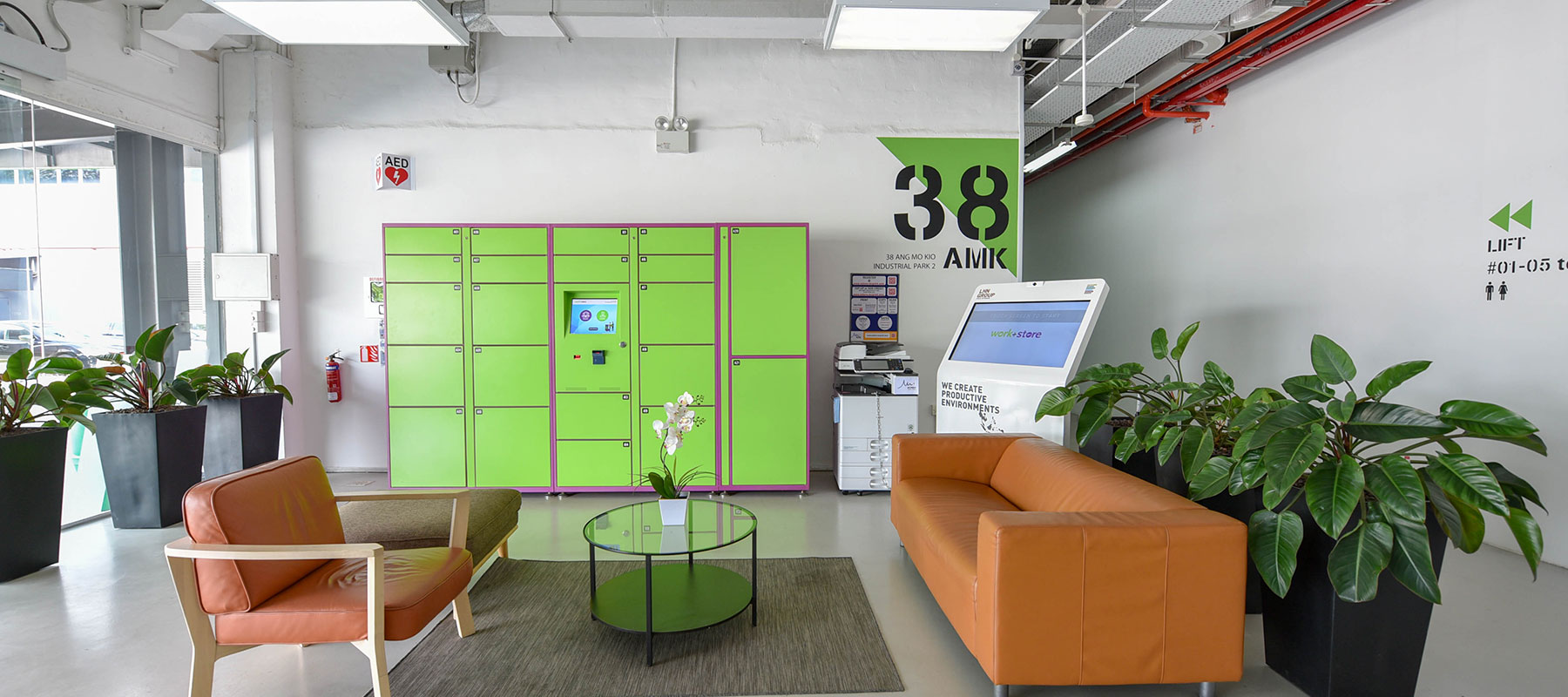
Lift Access
There is no remote access available. All lifts operate using card access only, so it’s recommended that you be physically present with your access card to use the lift.
Each storage unit can have up to 3 access cards. The first card is free.
1st card – Complimentary
2nd card – $35.00 plus applicable GST
3rd card – $50.00 plus applicable GST
For purchase of additional access cards, please drop an email to lease@workstore.com.sg with the following details:
A) Account name:
B) Location and Storage number:
The team will respond to your request within 3 to 5 business days.
You can request a replacement by emailing lease@workstore.com.sg. A replacement fee of $100.00 + prevailing GST applies.
We will revert with the card collection information via email within 3 to 5 business days.
Once you receive the email confirmation that your access card(s) are ready for collection, please proceed to the Main Lobby at level 1.
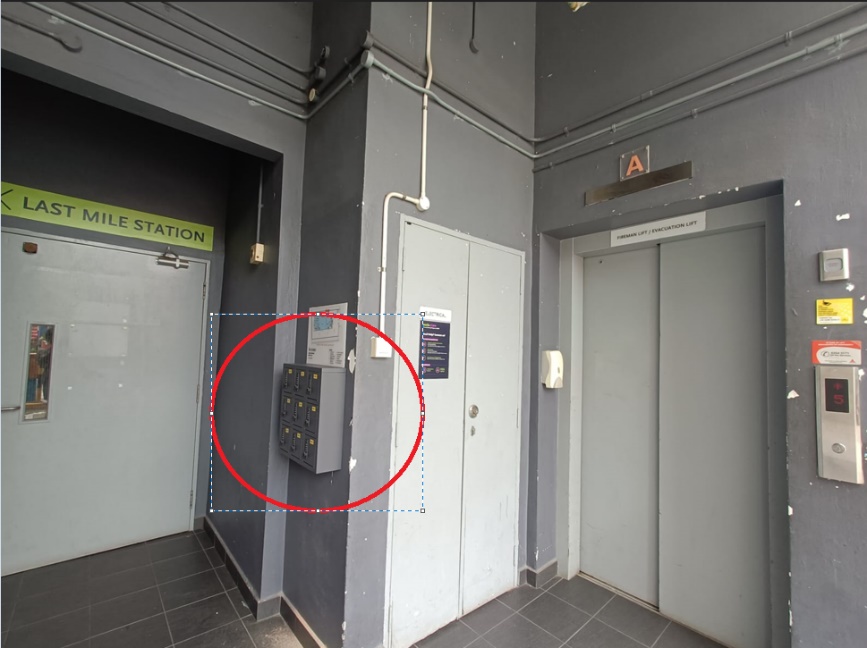
The access cards will be placed in one of the grey lockers located outside the Management Office. Please refer to the access card collection email for the locker number and pin code to retrieve the card.
You may refer to the photo attached below for reference.
All lifts in the building require an access card to operate. Without it, you will not be able to access any floor via the lift. Please note that building management will not provide temporary or alternative access cards under such circumstances.
Work Plus Store App Account
Download the “Work Plus Store” app from the Apple App Store or Google Play. Then, check your email (including your spam or junk folder) for a welcome email from Work Plus Store App with your login details and instructions to get started.
- If you’re having trouble signing in, try the following steps:
- Force close the app and reopen it.
- If that doesn’t help, restart your device or reinstall the app.
- Still can’t sign in? Try resetting your password via the WPS app.
Please note that login credentials are case sensitive.
Click on “Forgot Password” on the login page, then follow the link sent to your email to reset it.
If you are experiencing issues with the Work Plus Store App, please email us at lease@workstore.com.sg with the following details:
- Account Name
- Storage Unit Number
- Email Address
Our team will respond as soon as possible during office hours (Monday to Friday, 9:00 AM – 6:00 PM). Please note that responses may be slower outside of these hours, but we will attend to your request promptly on the next business day.
Feedback on Property/Facilities and Maintenance Related
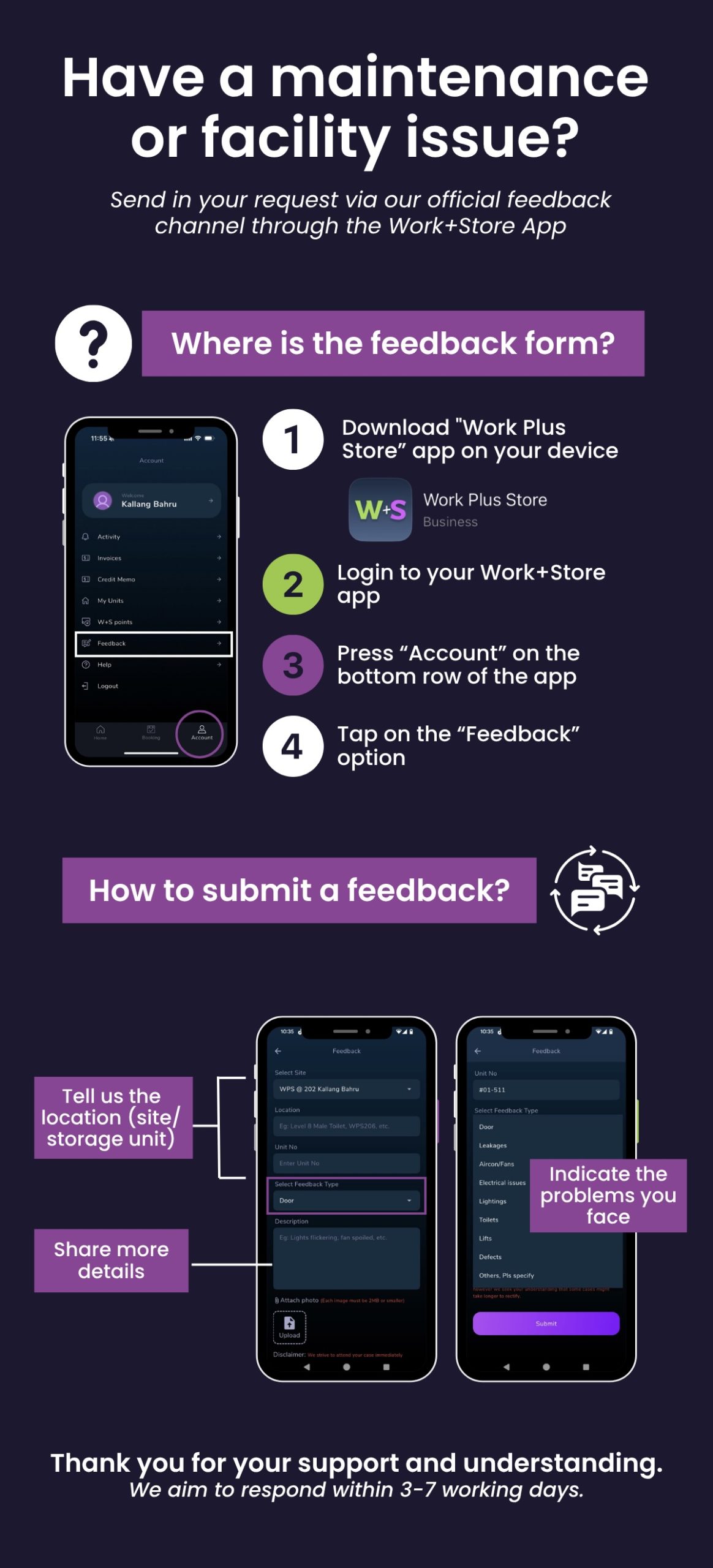
For urgent issues outside of business hours, please refer to the welcome email provided in your welcome email or you may contact the Security helpline at 64880252 / 64880253
Digital Lock
You can access your storage unit using a pincode.
To reset the pin code, you may refer to the video guide
The digital lock battery may be low. To recharge and access your unit, please follow these steps:
- Go to Level 9, outside the Management Office.
- Unlock pin 7171 to retrieve the emergency battery pack.
- Align the battery pack with the 2-pin contact point on the digital lock.
- Charge the lock for 10 seconds.
- Touch the keypad to activate it and unlock using your pincode.
Important: Please replace the lock batteries immediately after gaining access.
For a step-by-step demonstration, please refer to the video guide
Booking of Facilities
You can book the facilities through the Work Plus Store App. Just make sure you have enough points for the booking.
For the large meeting room (12 pax) – 1800 points
Small meeting room (6 pax) – 950 points
Event hall – 4000 points
1. Make payment to UEN: 201907332N
2. Email lease@workstore.com.sg with the following details:
- Account Name and Storage Unit Number
- Number of points you’d like to purchase
- Payment screenshot or reference number
Please note: Our team will respond within 3 to 5 business days once payment has been made and verified.
On-site Amenities
Last Mile Station/Incoming and Outgoing of goods
We do not manage or track deliveries at the Last Mile Station. Please reach out to your courier or delivery provider directly for assistance with missing items.
Throwing of domestic waste/bulky waste disposal
There is a Bin Center on Level 1, beside the gantry.
Please note:
A) Only domestic waste is accepted.
B) Domestic waste should be tightly sealed in proper trash bags.
C) Boxes must be emptied and flattened before disposal.
D) Bulky waste (like pallets and furniture) is not accepted.
Please drop a message to 8722 8000 for bulky item disposal. Note that disposal fees will apply.
Parking Related
Please download the LOT$ App and submit your application through the platform.
For assistance, including checking your application status, you may contact LHN Parking at 6856 6600 or email enquiries@lhnparking.com.sg
You can submit a claim through this form: https://www.lhnparking.com.sg/online-forms
Call LHN Parking at 6856 6600 or email them at enquiries@lhnparking.com.sg
Change / Update of Contact Details
Please email lease@workstore.com.sg with the following information:
- Building Location and Account Name
- Existing Contact Details (Name, Email Address, Contact Number)
- New Contact Details to be Updated (Name, Email Address, Contact Number)
Our team will update the records and respond within 3 to 5 business days.
Check-out of Storage unit
The Security Deposit refund will be processed within 60 days from the date the Takeover Form is completed.
If you require further assistance, please email lease@workstore.com.sg. Our team will respond within 3 to 5 business days.
Payment & Billing Enquiries
For any enquiries related to payment, billing, outstanding balances, or GIRO arrangements, please email our finance team at lease@workstore.com.sg.
Our team will respond within 3 to 5 business days.